Security audit of Wi-Fi using Wifite2 and Project bot

In this material, we will examine the process of Wi-Fi network security analysis, with a focus on the use of tools such as Wifite2 and Project bot, aiming to enhance users' awareness. We will provide a real example and conduct its analysis.
🛡️ Disclaimer: This material is provided solely for informational purposes and represents a fictional example developed by an independent editor. The information is not intended for use in privacy violations, illegal activities, or any other unethical actions. We strongly recommend respecting the privacy of others and using the skills and tools responsibly and in accordance with the laws of your country.
Before conducting a password security analysis, it's worth checking the possibility of connecting to a Wi-Fi network using the WPS protocol. Within this bot, we can perform a request based on the MAC address and attempt to obtain the PIN code (similar examples were presented in the previous publication).

When we encounter a situation where we can't obtain the necessary data, we move on to the next method...
Wordlist Generation:
Creating a wordlist starts with defining the goal. Let's assume we have an access point and we need to guess its password. Now the question arises – how can we do this most effectively and conveniently? Tools like Wifite2 and the Project bot can help us with this.
For efficient password guessing, it's essential to use an up-to-date wordlist that is tailored to the specific goal. This means that passwords should be generated based on available information about the target, considering known security factors.
For instance, many people use their phone numbers, birthdates, names, and other personal information as passwords for their home access points. Often, such information can be sourced from publicly available data. When we have such target-specific data, we can use it to generate passwords.


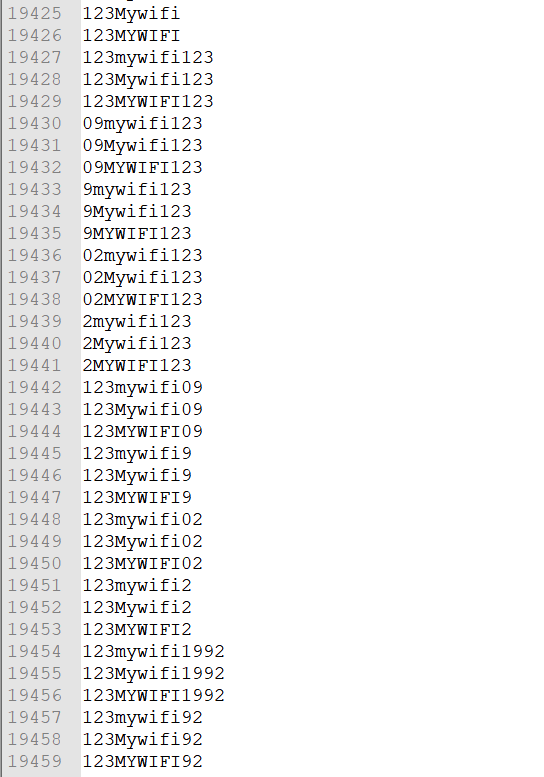
After launching Kali Linux, enter the following command to use the generated wordlist:
./Wifite.py --help
This command will allow you to get help on using the Wifite.py tool, providing you with the necessary information about available options and functionality.

Command (the file was renamed beforehand):
./Wifite.py --kill --dict pass.txt

Next, from the list, select the desired WiFi network and stop the scanning by pressing the CTRL + C key combination:

After the setup is complete, the network security audit will be automatically initiated. In case of successful password detection, the program will provide a corresponding notification in the terminal.
Vulnerable Router Search:
As an additional feature of the bot, we can mention the ability to search for vulnerable devices, including routers. This feature allows detecting devices that may be susceptible to certain vulnerabilities, providing information for further analysis and taking appropriate security measures.

Google Dorks can help identify relevant queries for routers.


Similarly, you can search for vulnerable servers, cameras, and so on using this information. However, we do not advise using this information for malicious purposes.